You have properly seated your 400G QSFP-DD transceiver, the switch port is active, but the optical interface remains down with no stable fiber link. There may be no optical signal or confusing system logs displayed. Before replacing network hardware blindly, follow this professional troubleshooting guide. Nearly all link failures on 400G QSFP-DD optical modules are caused by the seven issues below.
Table of Contents
The Scenario
You installed a new
400G QSFP-DD optical module for spine-leaf network deployment, AI cluster interconnection or data center capacity upgrade. In some cases, the network switch can detect the inserted transceiver; in other cases, the port fails to recognize the optic at all. No matter which situation you encounter, the interface stays down.
We list 7 frequent faults here, with detailed diagnostic steps and practical fixes for each problem.
1. Wrong Fiber Type: MMF vs SMF for 400G QSFP-DD
400G QSFP-DD transceivers require matched fiber cables and cannot work with all fiber types universally.
Using multimode fiber for long-reach SMF modules or single-mode fiber for short-reach MMF modules will result in zero optical signal at the receiver end.
Diagnostic: Check the module part number and official datasheet to confirm the supported fiber type. Verify fiber specifications at both ends first.
Fix: Use fiber cables that fully match your 400G QSFP-DD variant. For mixed-distance network environments, double-check the installed transceiver model on each side before judging hardware failure.
2. Dirty or Damaged MPO/LC Fiber Connectors
Contaminated or scratched MPO and LC fiber end-faces are one of the most typical reasons for a down 400G link, and many engineers skip this basic inspection. Dust, oil stains or tiny scratches on fiber connectors will pull received optical power below the sensitivity threshold. For most 400G QSFP-DD optical transceivers, the typical receiver sensitivity is around -10 dBm or stricter.
Diagnostic: Use an IEC 61300-3-35 standard fiber inspection scope to check both the module port and patch cord end-face. Complete this step before any other physical inspection.
Fix: Clean connectors with a one-click fiber cleaner or lint-free IPA wipe, then re-inspect. If the fiber core has deep scratches, replace the damaged connector or patch cord directly. Never skip re-inspection after cleaning.
3. MPO Polarity & Lane Mismatch on 400G Links
If your MPO trunk cable polarity does not match the module’s lane mapping, transmit lanes will connect to transmit lanes on both ends, leading to complete link failure.
TIA-568 standard defines three MPO polarity types: Type A, Type B and Type C. Most 400G
QSFP-DD SR8 transceivers require Method B or Type B MPO trunk cables. Polarity mismatch often happens when using cables from different vendors or reusing legacy OM3 MPO cabling systems.
Diagnostic: Place an optical power meter at the remote receiver. If the source side has normal Tx power but the far end receives no signal, MPO polarity is the top suspect. Compare the module lane map from the datasheet with your on-site cable documentation.
Fix: Replace the MPO trunk cable with the correct polarity type, or deploy a polarity-
reversing MPO adapter. Verify end-to-end lane mapping before re-seating the 400G QSFP-DD module.
4. Abnormal Tx/Rx Power – Diagnose via DDM Function
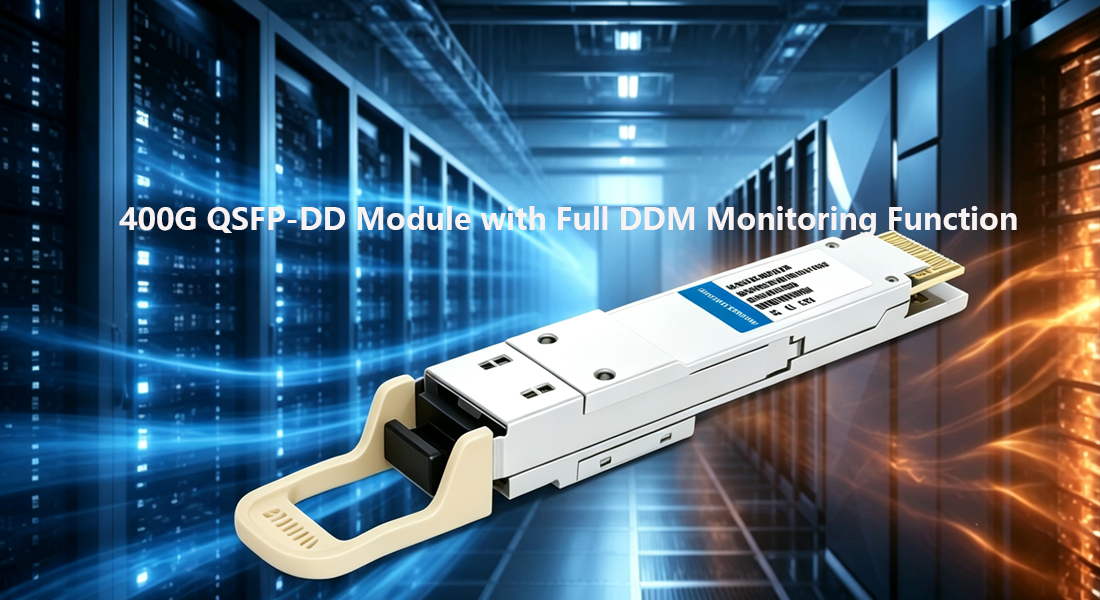
All DDM-enabled 400G QSFP-DD transceivers support real-time digital optical monitoring, including Tx power, Rx power, bias current, supply voltage and operating temperature. If transmit power is lower than the minimum rated value, or receive power is below receiver sensitivity, the 400G link will never come up.
Diagnostic – Run commands on mainstream switches:
On Cisco NX-OS:
show interface ethernet 1/1 transceiver details
On Arista EOS:
show interfaces ethernet 1/1 transceiver detail
On Juniper Junos:
show interfaces et-0/0/0 diagnostics optics
Compare detected Tx/Rx power with official specifications: SR8 modules usually range from +3 to -6 dBm, while LR4 modules have stricter optical power requirements. An Rx power reading near -40 dBm means no optical signal is received.
Fix: Re-seat the module if Tx power is abnormal. If the issue remains, the transceiver itself is defective. If source Tx power is normal but Rx power is too low, troubleshoot the fiber path: dirty connectors, mismatched fiber type or excessive insertion loss.
DDM is the core diagnostic tool for 400G data center links. Transceivers without DDM support will greatly increase fault locating difficulty.
HYTOPTODEVICE provides full DDM-supported
400G QSFP-DD optical modules, including SR8, DR4, FR4 and LR4 series. All products deliver real-time optical parameter monitoring after installation for efficient troubleshooting.
5. EEPROM & Transceiver Compatibility with Network Switches
Cisco IOS-XE,
NX-OS and partial Arista EOS firmware will verify the transceiver’s EEPROM information against the device’s approved vendor list. If the vendor ID or part number does not match the compatibility database, the switch will disable the port, pop up an unsupported transceiver alert or keep the interface down.
Diagnostic: Check system logs immediately after inserting the 400G QSF
show logging | include transceiver
show logging | include unsupported
On Cisco devices, run additional commands:
show interface ethernet 1/1 transceiver
If the output shows unsupported or blank module information, you have an EEPROM compatibility issue.
Fix: On Cisco NX-OS, use service unsupported-transceiver to enable third-party transceivers, though this will trigger vendor warnings. Most Arista switches support third-party optics without extra configurations, while individual models need dedicated settings. Ensure the module EEPROM is programmed with correct vendor strings and IEEE codes for your switch model.
Pre-verified compatible transceivers can avoid most EEPROM problems.
All HYTOPTODEVICE
400G QSFP-DD transceivers complete full compatibility testing with mainstream switches. We optimize EEPROM programming for Cisco, Arista, Juniper and other platforms to prevent compatibility failures during on-site deployment. We also publish real test videos for reference.
6. FEC Mode Mismatch: RS-FEC vs BASE-R FEC
Forward Error Correction (FEC) is mandatory for stable 400G QSFP-DD links, and both ends must use the identical FEC mode.
- DR4 & FR4 400G QSFP-DD: Mainly apply RS-FEC (RS(544,514))
- SR8 400G QSFP-DD: Support RS-FEC or Clause 91 FEC, depending on switch hardware and firmware
FEC mismatch will cause link failure or frequent interface flapping.
show interface ethernet 1/1
Check the FEC mode in the interface output. On Arista:
show interfaces ethernet 1/1 status
show running-config interface ethernet 1/1
Check FEC configuration in command output. Regular interface up/down flapping is a typical sign of FEC mismatch.
Fix: Configure the same FEC mode on both connected ports explicitly.
Recommended configuration for 400G DR4 & FR4:
interface ethernet 1/1
  fec rs-fec
For SR8 modules, follow the datasheet to set the matched FEC mode on both switches. Auto-negotiation for FEC is unstable across different 400G devices, so manual configuration is highly recommended.
7. 400G QSFP-DD Module Overtemperature Protection
Standard commercial-grade 400G QSFP-DD transceivers work within 0°C ~ 70°C. In high-density data center chassis with poor airflow, or when airflow direction conflicts with cabinet design, modules will overheat. Once exceeding the rated temperature range, the module will activate thermal protection and the switch will shut down the port automatically.
Diagnostic: Check real-time temperature via DDM:
show interface ethernet 1/1 transceiver details
Check system logs for thermal alarms:
show logging | include temperature
show logging | include thermal
A reading over 75°C under normal load indicates abnormal heat dissipation.
Fix: Confirm chassis airflow direction matches your rack layout (front-to-back / back-to-front). Install blanking panels on empty slots to avoid hot air recirculation, and check cabinet HVAC performance. If temperature is within specification, thermal issues can be ruled out. For harsh ambient environments, choose industrial-grade 400G QSFP-DD modules with a wide temperature range of -40°C ~ 85°C.
A Note on DDM Monitoring for 400G Transceivers
DDM data is the fastest way to locate faults for 400G QSFP-DD links. Tx power, Rx power, temperature, voltage and bias current can help you judge whether the fault comes from the optical module, fiber cabling or switch configuration. Add DDM inspection to your standard link-up checklist.
If you are sourcing reliable 400G QSFP-DD optical modules with full DDM support and multi-brand switch compatibility, visit HYTOPTODEVICE. We supply a full range of SR8, DR4, FR4 and LR4 400G QSFP-DD transceivers, with complete datasheets and compatibility test videos available for all customers.
FAQs for 400G QSFP-DD Link Troubleshooting
Q1: The 400G QSFP-DD transceiver is detected but interface stays down. Where should I start troubleshooting?
A: First run DDM diagnostics to check Tx and Rx optical power. If transmit power is normal but receive power is near -40 dBm, the fault is in the fiber path. If Tx power is out of specification, re-seat the module and test again. If the system log shows unsupported transceiver, troubleshoot EEPROM and compatibility next.
Q2: Will FEC mismatch cause 400G QSFP-DD link failure?
A: Yes. Different FEC settings on two ends will stop the 400G link from establishing or lead to continuous interface flapping. For DR4 and FR4 400G QSFP-DD transceivers, manually configure RS-FEC on both ports instead of relying on auto-negotiation.
Q3: How to check MPO polarity for 400G links without professional test tools?
A: Use an optical power meter and visible light source. Inject optical signals from one end of the MPO cable and test each lane on the remote side. If transmit lanes connect to transmit lanes on both ends, MPO polarity is reversed. Cross-check the cable plant document and module lane map from the datasheet.
Q4: Can third-party 400G QSFP-DD transceivers disable switch ports due to EEPROM issues?
A: This situation exists on some Cisco NX-OS platforms. The switch will err-disable the port if the module EEPROM does not match the approved list. The service unsupported-transceiver command can re-enable the port but cannot fix the root EEPROM problem. Platform pre-programmed third-party 400G QSFP-DD modules can avoid this trouble effectively.
Q5: What is the maximum operating temperature for commercial and industrial 400G QSFP-DD modules?
A: Standard commercial-grade 400G QSFP-DD transceivers support 0°C to 70°C. A temperature over 75°C under normal operation means poor heat dissipation. Industrial-grade 400G QSFP-DD optical modules feature a wide temperature range of -40°C to 85°C, suitable for outdoor and high-temperature industrial scenarios.
Q6: Are third-party 400G QSFP-DD modules compatible with Cisco, Arista, and Juniper switches without errors?
A: Most generic third-party 400G QSFP-DD modules suffer from EEPROM mismatch, unsupported transceiver logs, or port error-disable issues on mainstream brand switches.HYTOPTODEVICE 400G QSFP-DD optical modules are pre-programmed with standard compliant EEPROM data and undergo full compatibility testing for Cisco, Arista, Juniper, and Huawei platforms. All modules support plug-and-play, no manual command bypass required in most scenarios, completely solving switch compatibility failure pain points.
Q7: Why do many 400G QSFP-DD modules suffer from link flapping and unstable optical power in AI cluster data centers?
A: Link flapping and unstable Tx/Rx power are mainly caused by uncalibrated optical parameters, mismatched FEC modes, and poor high-density heat dissipation. HYTOPTODEVICE 400G QSFP-DD transceivers adopt strictly calibrated optical chips and support standard RS-FEC/BASE-R FEC adaptive matching. Designed for high-density AI cluster and HPC data center scenarios, our modules maintain stable optical power output in long-term high-load operation, effectively avoiding intermittent link down and flapping failures.
Q8: Do affordable bulk 400G QSFP-DD modules sacrifice quality and network reliability?
A: Many low-cost 400G optical modules cut costs by reducing testing procedures and using inferior chips, leading to high failure rates. As a professional 15-year optical transceiver manufacturer, HYTOPTODEVICE provides cost-effective 400G QSFP-DD modules with 10–30% lower prices than OEM brands while retaining OEM-grade performance. All products pass 100% DDM function testing and aging tests, ensuring consistent quality for bulk data center deployment without reliability compromises.
Q9: Can 400G QSFP-DD modules support real-time DDM monitoring for fast fault diagnosis?A: Many inferior third-party 400G modules disable incomplete DDM data, making link failure diagnosis difficult and time-consuming. All HYTOPTODEVICE 400G QSFP-DD series modules (SR8/DR4/FR4/LR4) support full real-time DDM digital monitoring, including Tx/Rx power, temperature, bias current, and voltage data. Engineers can quickly locate fiber faults, module aging, and overheating problems through switch command queries, greatly improving data center operation and maintenance efficiency.
Q10: Do 400G QSFP-DD modules overheat and trigger port shutdown in high-density data center chassis?
A: Ordinary commercial-grade 400G QSFP-DD modules have poor heat dissipation, which easily causes over-temperature protection and port shutdown in densely deployed spine-leaf architectures. HYTOPTODEVICE 400G QSFP-DD optical transceivers adopt optimized heat dissipation structure and high-temperature resistant materials. Standard commercial-grade modules stably operate at 0–70°C, and customized industrial-grade models support -40°C to 85°C wide-temperature operation, perfectly adapting to high-density, poor ventilation data center environments.
Q11: How to avoid MPO polarity and fiber type mismatch failures for 400G QSFP-DD links?
A: MPO polarity and MMF/SMF fiber mismatches are leading causes of 400G QSFP-DD link downtime. HYTOPTODEVICE provides professional pre-sales fiber and polarity matching for all SR8/DR4/FR4/LR4 models. We deliver fully matched modules and detailed deployment guides to eliminate cabling and parameter mismatch faults.
Q12: What is the delivery cycle and after-sales support for bulk-order 400G QSFP-DD modules?
A: We solve slow delivery and poor after-sales pain points for bulk 400G QSFP-DD orders. HYTOPTODEVICE maintains sufficient inventory and complete supply chains, offering global shipping in 3–5 working days. We also provide 24/7 professional technical support and lifelong consultation for all clients.
Q13: Are HYTOPTODEVICE 400G QSFP-DD modules suitable for AI cluster and HPC high-speed interconnection scenarios?
A: Yes. HYTOPTODEVICE 400G QSFP-DD modules are specially optimized for AI clusters, Infiniband NDR and HPC scenarios. They deliver ultra-low latency, zero packet loss and strong stability, fully meeting high-bandwidth, long-term stable interconnection demands of AI and high-performance computing data centers.
Q14: Will third-party 400G QSFP-DD modules cause network security risks and system log errors?
A: Unqualified third-party modules cause frequent error logs and network instability. HYTOPTODEVICE 400G QSFP-DD optical modules follow standard IEEE protocols with fully compliant EEPROM data, generating no invalid logs. They ensure secure, stable network operation and meet professional data center audit requirements.
Q15: Can I get customized and tested 400G QSFP-DD modules for special network environments?
A: Yes. Backed by 15+ years of R&D and production experience, HYTOPTODEVICE supports customized 400G QSFP-DD modules, including wide temperature adaptation, exclusive FEC settings and personalized EEPROM programming. All customized products undergo full pre-shipment testing to fit special network environments perfectly.
Conclusion
Most link-down issues on
400G QSFP-DD optical transceivers are caused by mismatched fiber type, dirty connectors, MPO polarity errors, abnormal optical power, EEPROM compatibility, FEC configuration and overheating. Follow the above seven steps in order and make full use of DDM monitoring to locate faults quickly without unnecessary hardware replacement.
Choosing pre-tested, fully compatible 400G QSFP-DD transceivers from professional suppliers like
HYTOPTODEVICE will greatly reduce on-site troubleshooting time and ensure stable operation for data center 400G networks.



