


使用HTML,JS,CSS制作页面模块,让你的网站变得更受欢迎

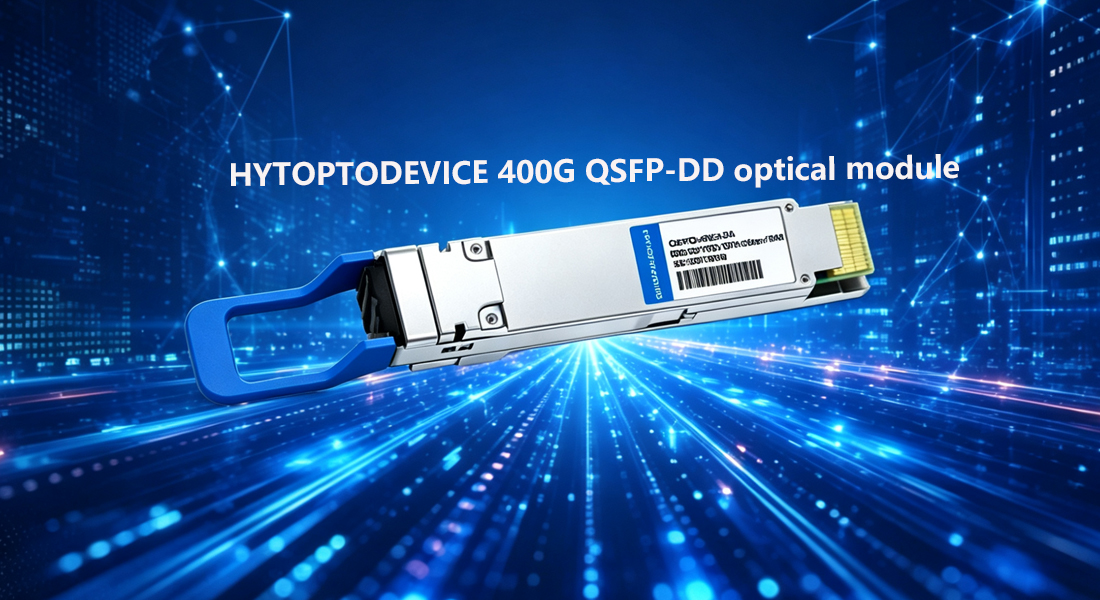
The Nexus 9000 spans multiple generations and line cards. Before selecting a module, confirm the port type and the reach your topology requires.
400G QSFP-DD SR8 uses 8 x 50G PAM4 lanes over MPO-16 fiber. It's the right choice for intra-rack and short-row interconnects in high-density AI and HPC fabrics. If you're connecting top-of-rack switches to spine within the same hall, SR8 is your module.
DR4 runs 4 x 100G PAM4 over OS2 single-mode with MPO-12 connectors — the standard choice for inter-row and inter-pod connections within a single campus. It also supports 4 x 100G breakout to four QSFP28 ports, which is useful for staged migration from 100G infrastructure.
FR4 uses 4-wavelength CWDM4 over a single LC pair. The 2KM reach covers campus interconnects, cross-building links, and MDA-to-IDA runs where pulling MPO fiber isn't viable.
LR4 is the right call for DCI links, metro connections, and longer campus runs. It uses the same duplex LC interface as FR4, which keeps fiber plant planning straightforward.
If you're unsure which variant your line card supports, Cisco's Hardware Installation Guide documents supported MSA types per line card SKU.
Most compatibility problems start here. At link-up, NX-OS reads the module's EEPROM and checks vendor name, part number, and serial number fields against its internal compatibility database. If those fields don't match expected values, NX-OS logs a warning and may generate a syslog alert.
A properly coded third-party module populates the EEPROM with values NX-OS recognizes — vendor ID, OUI bytes, and module type fields programmed correctly per the SFF-8636 or CMIS standard that QSFP-DD uses.
CMIS compliance is specific to QSFP-DD. Unlike QSFP28 modules that used SFF-8636, QSFP-DD follows CMIS 4.0 or later. Any supplier that can't explicitly confirm CMIS-compliant EEPROM programming is a red flag. Ask for it directly.
400G QSFP-DD uses PAM4 modulation across all variants. The module's internal DSP must be tuned for the host platform's electrical interface. Nexus 9000 line cards use specific SerDes implementations, and a module with generic or poorly calibrated DSP firmware will show degraded BER or fail to train the link entirely.
Reputable compatible module suppliers validate DSP firmware against the target platform. Ask whether the supplier has tested on Nexus 9000 hardware specifically — not just "Cisco-compatible" as a blanket claim.
Cisco's official position is that only Cisco-branded optics are supported. In practice, NX-OS handles third-party modules through a warning mechanism, not a hard block.
Insert a non-Cisco module and NX-OS typically logs:
%ETHPORT-5-IF_XCVR_WARNING: Interface Ethernet1/1, Transceiver is not a Cisco qualified transceiver
The port still comes up. The interface operates normally. That syslog entry is a warning, not a shutdown command.
The exception is when Cisco has implemented explicit blocking via the service unsupported-transceiver command. On some NX-OS versions and line cards, this command must be present in the config for the port to activate with a non-Cisco module. If your platform enforces this, you add the command once globally and the restriction lifts.
Check your NX-OS version against Cisco's release notes for your specific platform — behavior has varied across 9.3.x and 10.x releases.
The practical takeaway: a correctly programmed compatible module will operate on Nexus 9000. The Cisco support disclaimer remains — if you open a TAC case, the engineer may ask you to reproduce the issue with an OEM module first. Most network teams accept that trade-off given the cost differential.
Not all compatible modules are equal. Confirm these points with any supplier before committing:
Platform-specific testing. Has the module been validated on Nexus 9000 hardware — not just "Cisco-compatible" in general? Ask for a compatibility test result or video.
CMIS compliance. QSFP-DD requires CMIS 4.0 or later. Confirm the EEPROM is programmed to this standard.
PAM4 DSP validation. DSP firmware must be tuned for Nexus 9000 SerDes. Generic firmware calibrated for a different host can cause link training failures.
Datasheet availability. A supplier that doesn't publish datasheets is one you can't verify. Optical power budget, TX/RX ranges, and operating temperature specs should all be documented.
DOM support. Digital Optical Monitoring lets NX-OS read TX power, RX power, temperature, and voltage directly from the module. Confirm it's supported — it's essential for operational visibility and troubleshooting.
Reach and connector type. Match the variant (SR8, DR4, FR4, LR4) to your fiber plant. Ordering an FR4 when your patch panel is wired for MPO will cost you time and money to fix.
HYTOPTODEVICE carries 400G QSFP-DD modules across SR8, DR4, FR4, and LR4 variants with Cisco Nexus compatibility programming. The catalog runs from 1.25G to 800G across every major form factor — SFP through OSFP — so if you're also sourcing 100G QSFP28 or 800G QSFP-DD DR8 for the same infrastructure refresh, you're working from a single supplier rather than managing multiple vendor relationships.
Compatibility test videos and product datasheets are published on-site, giving you the technical documentation to validate a purchase before it ships. For teams running OEM or white-label programs, HYTOPTODEVICE supports custom-programmed modules under ODM arrangements — useful if you're a reseller or MSP that needs modules coded to your own vendor profile.
The cost difference is real. At $2,000 to $5,000 per unit for Cisco OEM 400G QSFP-DD, versus 70 to 90 percent less for compatible alternatives, the math on a full spine deployment changes significantly.
Choosing a compatible 400G QSFP-DD for Cisco Nexus 9000 comes down to four things: selecting the right optical variant for your reach and fiber type, confirming CMIS-compliant EEPROM programming, validating PAM4 DSP firmware against the Nexus platform, and working with a supplier that publishes datasheets and platform-specific test results.
The Nexus 9000 will run properly coded third-party modules. The warning message is expected. The cost savings are substantial. The technical bar is specific but not high — provided your supplier has already done the validation work.
Browse the full 400G QSFP-DD catalog and compatibility documentation at hytoptodevice.com.
Q1:Will a compatible 400G QSFP-DD module work in a Cisco Nexus 9000?
A:Yes, in most cases. NX-OS logs a compatibility warning when it detects a non-Cisco module, but the port typically comes up and operates normally. On some NX-OS versions, you may need to add the service unsupported-transceiver command globally. A correctly programmed module with CMIS-compliant EEPROM will function on Nexus 9000 hardware.
Q2:What is the difference between 400G QSFP-DD SR8, DR4, FR4, and LR4?
A:SR8 covers 100m over multimode fiber using MPO-16. DR4 covers 500m over single-mode using MPO-12 and supports 4 x 100G breakout. FR4 covers 2KM over duplex LC single-mode using CWDM4 wavelengths. LR4 covers 10KM over duplex LC single-mode. Choose based on your reach requirement and fiber plant connector type.
Q3:Why does CMIS compliance matter for QSFP-DD modules?
A:QSFP-DD uses CMIS 4.0 or later instead of the SFF-8636 standard used by older QSFP28 modules. NX-OS reads the module's management interface at link-up. A module that doesn't follow CMIS correctly may fail to initialize, report incorrect DOM data, or not train the link at all.
Q4:What is PAM4 and why does it affect compatibility?
A:PAM4 (Pulse Amplitude Modulation 4-level) is the modulation scheme used in 400G QSFP-DD modules. Each lane carries 100G using PAM4 instead of NRZ. The module's internal DSP must be calibrated for the host platform's SerDes electrical interface. Generic DSP firmware not tuned for Nexus 9000 hardware can produce high BER or fail link training entirely.
Q5:How much can I save using compatible 400G QSFP-DD modules instead of Cisco OEM?
A:Cisco OEM 400G QSFP-DD modules are typically priced at $2,000 to $5,000 per unit. Compatible third-party modules in this category deliver 70 to 90 percent cost savings — on a 32-port spine switch, that's tens of thousands of dollars per chassis.
Q6:Does a compatible module affect Cisco TAC support?
A:Cisco's official support position requires OEM optics. If you open a TAC case, the engineer may ask you to reproduce the issue with a Cisco-branded module before proceeding. Most network teams accept this trade-off given the cost differential, particularly for ports not in the direct path of a critical production issue.
Q7:What should I ask a supplier before buying compatible 400G QSFP-DD modules for Nexus 9000?
A:Ask whether the module has been tested on Nexus 9000 hardware specifically — not just "Cisco-compatible" as a general claim. Confirm CMIS 4.0 compliance, verify PAM4 DSP firmware is tuned for the target platform, request a datasheet with optical power specs and temperature range, and confirm DOM support for in-band monitoring via NX-OS.
